Codex CLI vs Cloud-Hosted Codex for Engineering Team Workflows
CLI handles interactive work while cloud runs tasks asynchronously, each with tradeoffs.
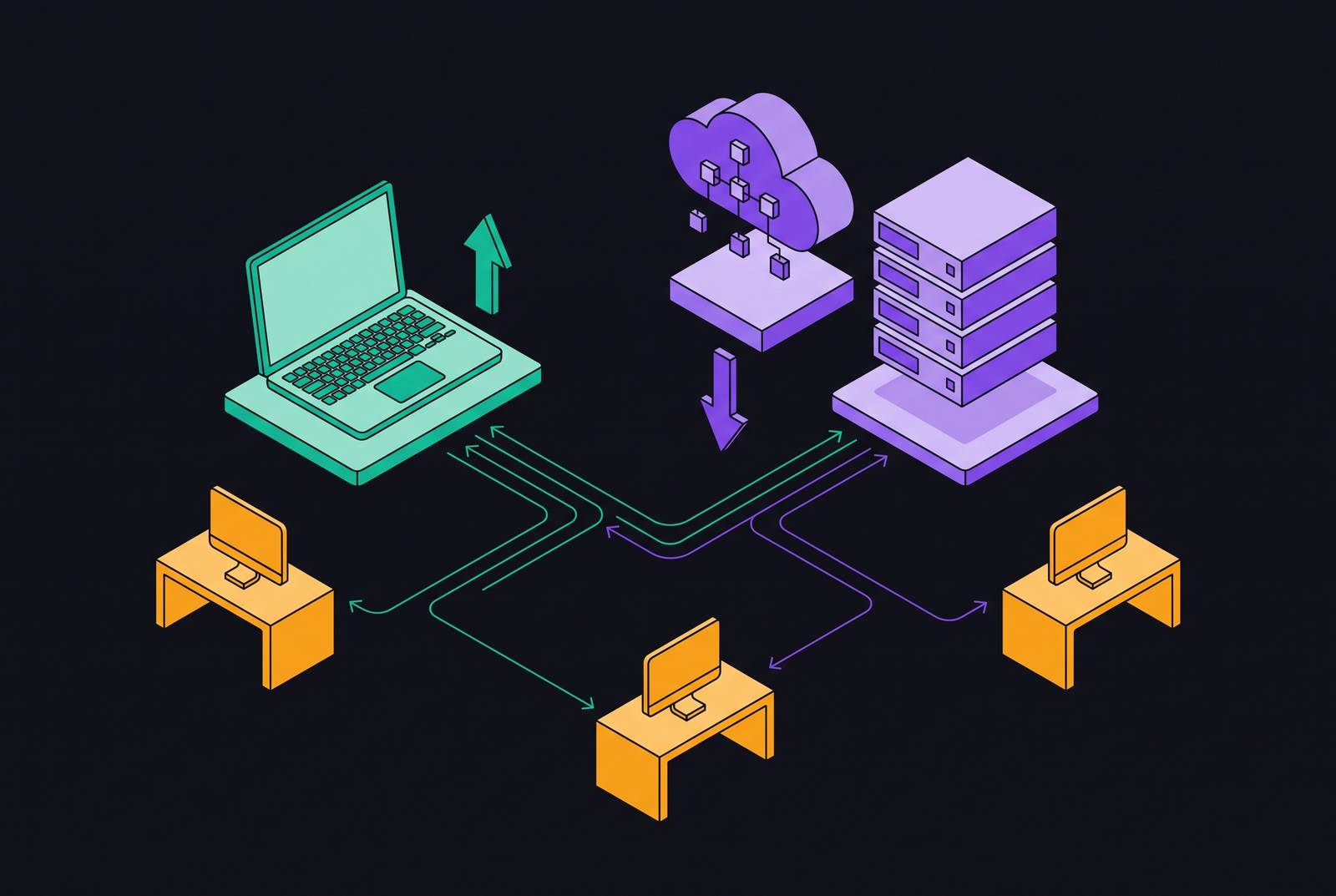
Codex CLI and cloud-hosted Codex differ chiefly in execution model. CLI works well when an engineer watches the work in a local terminal, while cloud execution works well for background delegation and pull-request review. OpenAI-hosted Codex requires a seat-based ChatGPT plan for its cloud features, which rules it out for teams that want a bring-your-own API key cloud coding agent runner.
What Codex CLI and Codex Cloud actually are, and why OpenAI ships both
Codex CLI is an open-source terminal agent built in a systems programming language and released under Apache 2.0. It runs against the developer’s local filesystem and installed toolchains. Codex Cloud runs tasks in an OpenAI-managed environment. Both surfaces draw from the same model catalogue and tie to a single ChatGPT subscription account.
That distinction also explains the other ways engineers encounter Codex. The same agent is accessible through an IDE extension or web UI, with task triggers in GitHub, GitLab, Linear, and Slack. The entry point sets where work starts, but the execution context sets where the code runs. OpenAI’s two surfaces accommodate both work that stays in an active terminal session and work that can be delegated away from it.
How the execution model differs in practice, not just in architecture
In CLI, the agent runs in the active terminal session while the developer watches its reasoning, approves or rejects tool calls, and directs changes to the working tree. The agent can use local toolchains, running services, and databases as long as access controls allow it. This makes the session a feedback loop in which the engineer can inspect a result and redirect the next step.
Cloud execution breaks that loop deliberately. The engineer submits a task and can disconnect while the container works autonomously over a multi-minute window. Results arrive as a diff that can be applied with codex apply or opened as a PR. Tasks can run across different repositories at the same time, and scheduled automations can put work that repeats into a review queue without another prompt. On cloud platforms such as Replicas, the same asynchronous pattern turns requests from Slack or GitHub into isolated runs that return pull requests.
The newly announced reusable environments change the cloud starting point. A new task starts with the prepared filesystem of a published environment, while a task already in progress keeps its saved files, including uncommitted changes. Saved VM state is recoverable for up to 7 days after the last turn or resume. Publishing or republishing therefore establishes a shared team baseline, with the corresponding responsibility to maintain it.
How the sandboxing and network model shape what each surface can and cannot do
CLI sandboxing operates at the OS-kernel level through Seatbelt on macOS, bubblewrap on Linux, and the native Windows sandbox using restricted tokens on PowerShell. Its scope includes the working directory, configurable writable roots, and domain-level network allowlists. Within permitted access, CLI can reach a running local database, invoke a Docker stack, attach to a debugger, or call a local MCP server. OpenAI-hosted cloud execution does not provide that access to the developer’s running local tools.
Cloud runs the work in an isolated container with an HTTP/HTTPS proxy. Internet access is available during setup but disabled by default during agent execution, with administrator-configured domain allowlists for trusted registries. Access to a private network goes through a VPN, currently Tailscale only, and Enterprise can request short-lived cloud credentials through OIDC. Shared Enterprise environments can give people access to prepared files and cloud identities without letting them see other people’s tasks or giving them environment-editing rights.
Cloud has a clean-room environment that local state cannot affect, while CLI keeps the local context that some tasks need. Replicas runs each task in an isolated Linux VM pre-loaded with the team’s codebase and dependencies, where agents can install packages, run services, and verify changes. That is distinct from reaching services already running on a developer’s machine. OpenAI says Business plans have larger VMs but does not publish CPU or memory specifications for the standard container, so teams also need to weigh their exact resource needs.
The cost model that governs which surface to use and when to switch
In the notes’ credit comparison, cloud execution costs roughly five times as much as local execution. That premium pays for platform work, including warming a container, checking out a repository, running setup scripts, and provisioning the environment before the agent starts. Long-running or parallelizable work can justify that trade, while a quick interactive change usually does not.
The two surfaces also consume a shared resource budget. Local and cloud limits use the same usage window, so cloud tasks that run in the background use credits from the same pool as an active CLI session. Parallelism therefore increases concurrent work without making its credit cost disappear. Cloud access also requires a seat-based plan rather than an API-key account.
The practical credit strategy follows those constraints. Save cloud tasks for work that needs isolation or should run in the background. For local tasks that do not require full reasoning, GPT-5.4-mini materially extends message limits compared with GPT-5.4. Keeping the CLI’s MCP server count low also reduces context-token overhead because each active server adds tokens to messages. These choices preserve expensive execution for tasks that benefit from it.
A concrete decision framework for routing tasks to the right surface
Routing depends first on whether the task requires local tools, running services, or a local database. If it does, use CLI because the required context is already on the developer’s machine. Only after that dependency is ruled out does the second question matter, namely whether the engineer needs to steer or inspect execution in real time. If the answer is yes, the synchronous terminal session remains the right surface. Locally reproducible debugging and exploratory work belong here because intermediate findings influence what happens next.
Third, routing depends on whether the task has clear, testable acceptance criteria. If it does not, keep it in CLI until the engineer can resolve the ambiguity. “Add input validation to all API endpoints and ensure existing tests pass” gives a delegated agent a defined outcome. By contrast, “help me figure out why this is slow” leaves the investigation open-ended. The distinction is not task size but whether the engineer can describe success before execution begins.
Only at the fourth step does it matter whether independent tasks can run simultaneously or the work should happen in the background. If so, cloud execution allows separate branches and batch review of resulting PRs. Suitable work includes cross-repository batches, overnight queues, clean-room refactors, and scheduled issue triage or CI/CD jobs. A well-defined task can still stay local if background execution and isolation would not help. Clear scope makes delegation optional.
The hybrid pattern that makes both surfaces more valuable than either alone
The CLI’s codex cloud command makes this routing model available without leaving the terminal. An engineer can submit work with codex cloud exec --env ENV_ID "task description" and later bring a completed diff into the working tree with codex apply. Running codex cloud without arguments opens an interactive picker for the environment. The environment ID can also be copied from the Codex web dashboard.
The command surface also supports more structured delegation. codex cloud exec --env ENV_ID --attempts 3 "task" generates multiple candidate solutions for selection. codex cloud list --env ENV_ID --json lists recent tasks as JSON for use in CI scripts. Task submission through codex cloud exec exits with a non-zero status if submission fails, allowing shell scripts and CI pipelines to distinguish that failure from successful submission. Submission status is not the same as acceptance of the resulting code.
A daily operating pattern follows from these capabilities. Morning work can begin with review of overnight cloud results and application of useful diffs or opening of PRs. Deep work can remain in CLI when debugging or exploration requires close steering. At the end of the day, clearly scoped tasks can enter the cloud queue for unattended execution. This is a way to align phases of work with execution modes, rather than a requirement to move every task through both.
How Slack and Linear triggers extend cloud delegation into existing team workflows
Delegation becomes a team workflow when requests start where work is already discussed. Tagging @Codex in a Slack channel or thread lets Codex read the thread context, select an environment, and begin work in its cloud sandbox. It then posts a link to the completed task in Codex cloud. GitHub and GitLab issue mentions provide another route into delegated work, with PRs entering the standard review and merge process. The terminal no longer has to be the assignment point.
Linear extends that pattern into tracked work. In one documented workflow, a practitioner connected the Codex app to Slack, Notion, Linear, and Google Drive. Its automations parsed Slack feedback, created or updated Linear issues, and posted summaries back to Slack without an engineer present during execution. The important change is the handoff from discussion to an assigned task.
Cisco and Rakuten illustrate the accountability pattern described in the notes. Cloud tasks produce PRs for the standard review queue, with the engineer as assignee and the agent as contributor. Engineers review the output instead of supervising each execution step. This can produce more PRs per engineer, but it does not remove review responsibility. Delegation changes where attention is spent, shifting it from tool calls to completed changes.
How do teams run Claude Code or Codex in the cloud without managing infrastructure
Teams can choose who runs the work separately from which harness they use. OpenAI-hosted Codex supplies delegated environments for Codex tasks, while Claude Code offers cloud sessions started with claude --cloud and a task description. Each command starts its own session, by default on vendor-managed infrastructure, or in an organization’s self-hosted environment when routed there. Claude Code also has self-hosted environments in public beta for Team and Enterprise organizations whose code must stay on their network. The infrastructure choice therefore has to respect policy as well as workflow.
The harness determines another set of tradeoffs. Claude Code emphasizes complex multi-file refactoring and long-context reasoning, while Codex suits terminal work, DevOps, scripting, and cloud-sandboxed delegation. Cursor serves developers who want an integrated visual editor. OpenCode is an open-source, provider-agnostic CLI harness that can run different providers’ models or operate offline with local weights through Ollama.
For teams operating several harnesses, Replicas provides managed Linux VMs for Claude Code, Codex, Cursor, and Opencode, with triggers from Slack, Linear, GitHub, or GitLab. Its configured environments address the inconsistent baselines and machine-bound parallelism of developer-local execution. Its analytics attribute runtime to the source, harness, model, and credential. For that buyer requirement, the explicit boundary in these notes is that OpenAI-hosted Codex does not accept API-key accounts for cloud features.
How to measure whether the execution model you chose is actually working
More agent output is not sufficient evidence of greater engineering throughput. Delegated changes need to move through review without adding offsetting work. Review load matters because background execution can increase the number of PRs waiting for human attention. The standard PR format preserves a familiar accountability process, but it does not by itself prove that delegation saves time.
Change failure rate provides a second test. Faster output is not a real speed gain unless CFR stays at or below the team’s baseline.
Task-level attribution makes those outcomes actionable. Teams need to know which execution surface, harness, model, and credential produced each output before they can refine routing or justify the cloud premium. OpenAI’s Compliance API gives Enterprise audit records for cloud tasks with 30-day retention, while local CLI execution has no such audit trail. Teams that need audits should take that difference into account when they decide where tasks run. The concrete next step is to connect each task’s execution record to its reviewed outcome and failure history, so the choice between local supervision and cloud delegation can be judged on engineering results.